

AI Usage
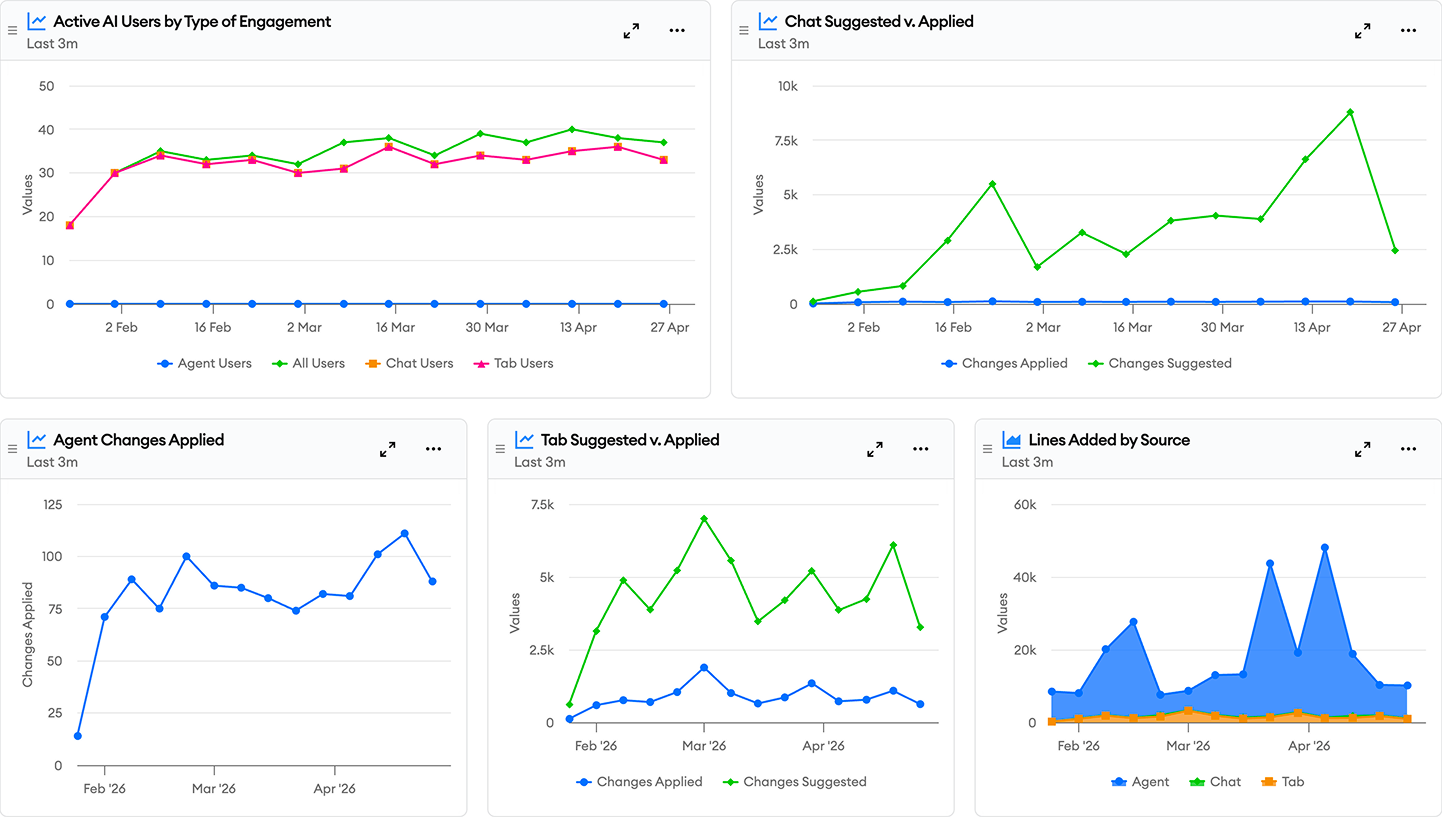
The AI Usage dashboard provides comprehensive insights into how your teams are adopting and utilizing GitHub Copilot, Cursor, Claude Code, Codex, and other coding tools.
Key Use Cases
- Adoption Tracking: Identify teams which might benefit from additional training or support
- Productivity Metrics: Correlate AI tool usage with other development metrics to assess productivity impact
- Cost Tracking: Ensure that your organization is using these tools in a cost-effective way
The report displays Total Active Users over time, showing counts of developers actively using the tools. This helps identify adoption trends and usage consistency across your organization. Usage is broken down by Chat activity, Tab completions, and Agentic engagement.
It shows Code Suggestions/Acceptance. This is aggregated across all methods of engagement and also broken down by Agentic engagement, Tab completions, and Chat activity. This reveals how your team is engaging with these tools and the volume of changes from each method of engagement.
To see usage of these tools by model we include charts for Cost (Dollars), Output Tokens, and Input Tokens. These show high level information about usage and cost segmented per model.
Finally, there is a chart showing Tool Usage (MCP, Skills, Plans, etc…) which breaks down usage by tool type and name. This shows tool adoption through time providing an overview of usage across the organization.
These reports show a small sampling of the rich information that is available through minware’s AI tool integrations.
By monitoring these metrics over time, engineering leaders can make data-driven decisions about AI tool adoption, identify best practices for AI-assisted development, and ensure their teams are getting maximum value from GitHub Copilot, Cursor, Claude Code, Codex, and other AI development tools.